
Score the game once. See how every point was won and lost.
Score a student’s match courtside and sit down with a report that shows winning shots, errors, rally length and each player’s performance. Not just the score, but what to practise next.
The 2-minute coach film. Chapters and transcript
What a scoresheet can’t tell your students
Ask a student why they lost and you’ll hear “bad day”. The match knows better.
The score says 11–7. It doesn't say why.
A student remembers the last point and the one that hurt. The scoresheet remembers the total. Neither tells you what to practise on Tuesday.
Errors feel random until you count them
Three kitchen faults and four drives into the net is a lesson plan. Without a record, it's a bad day.
Progress is hard to show
Students want to know they are improving. Week-to-week numbers from real games make that conversation easy.
From one scored game to a lesson plan
Everything here is on your phone, courtside. Nothing to set up on the court.
Score it like you always do
Pick the players, choose Advanced scoring and tap who won each rally. Serve, side-out and server number are handled for you.
Two optional taps per point
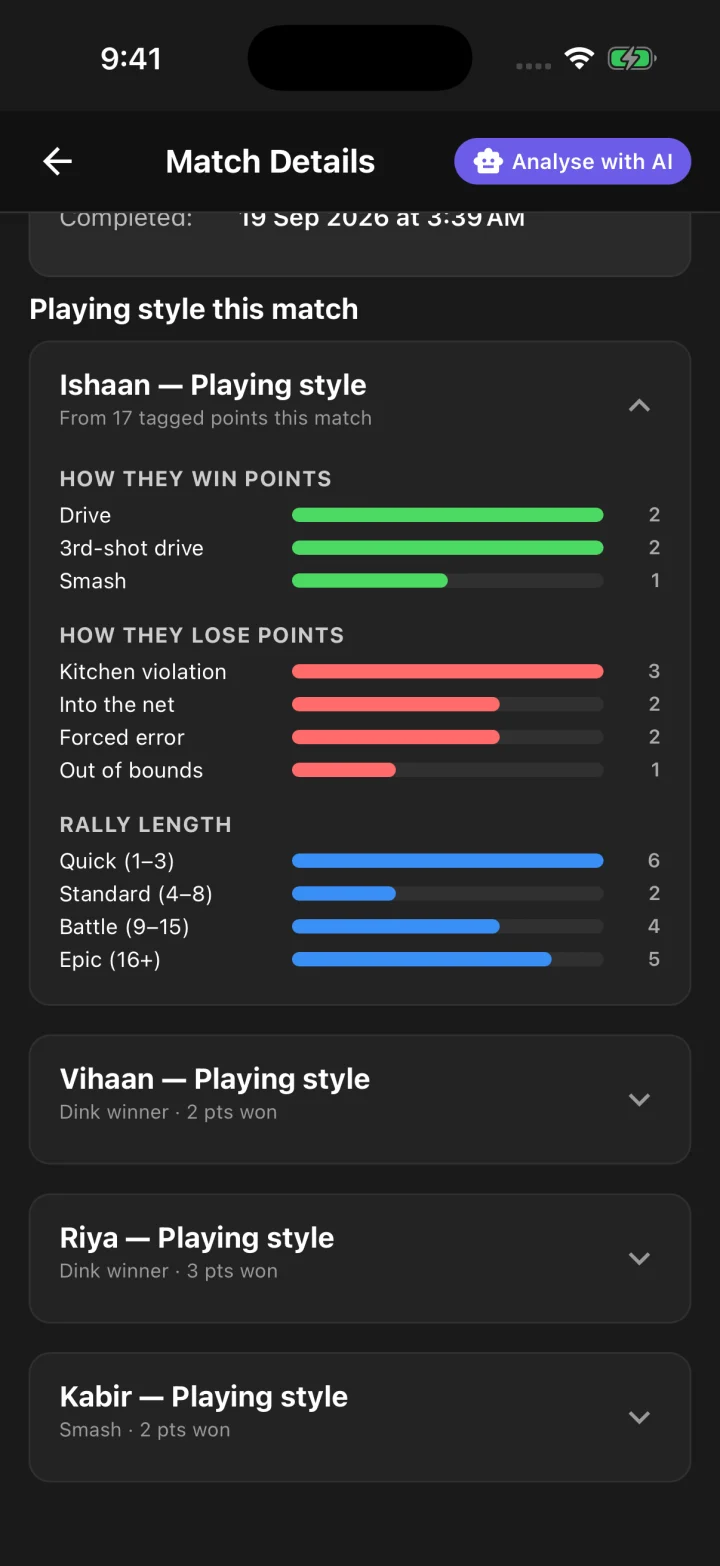
How the point was won (a drop, drive, dink or smash) or how it was lost (a fault or an error), and how long the rally ran. Skip it whenever the next serve is already coming.
A report for every player
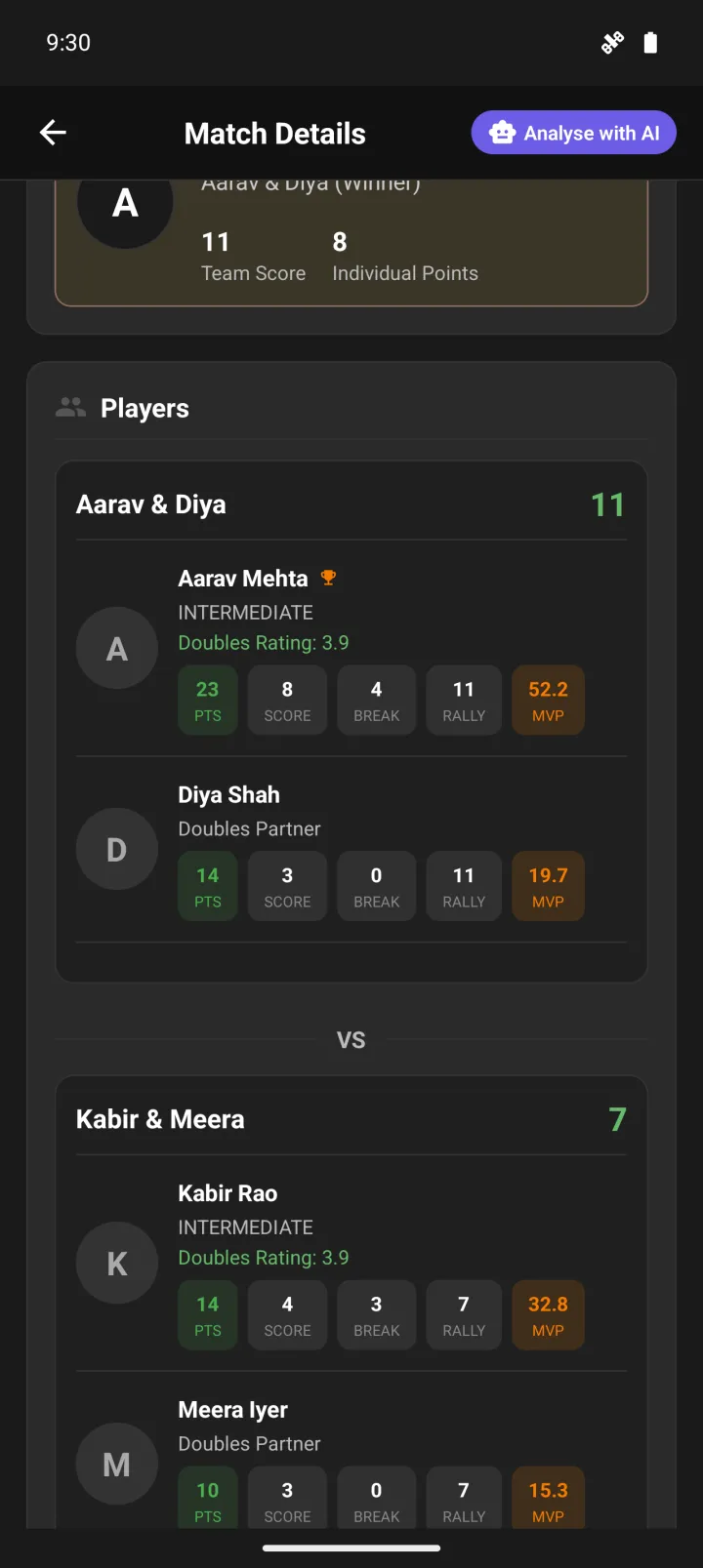
When the game ends, each player gets their own performance: points won, breaks, rallies and faults, plus the MVP of the match.
AI analysis and playing style
Open the match and read an AI analysis of what decided the game, along with each player's playing style. In doubles, errors describe the pair, so you coach the partnership too.
Every game kept on the profile
Games stay on each student's profile with their rating, so you can look back over weeks and see what actually changed.
How coaches use it in lessons
A few ways coaches put the numbers to work. Use what fits your students.
- Score a practice match at the start of a block of lessons, and again at the end
- Go through the point-by-point log with the student right after the game
- Pick the one error that cost the most points and build the next drill around it
- Compare partners in doubles: who wins points at the kitchen, who gives them away from the baseline
- Share the match link so the student can read it again at home
Coach a group of players?
We’ll set it up with you on a short call: your students, their games in one place, and how to read the match report in a lesson. Running a coaching program or academy? Ask us about partnering.
Questions coaches ask
Anything else? Get in touch.
Does the app detect shots on its own?
No. You tap who won each rally, and if you want the detail, you tag how the point was won or lost with two quick taps. That keeps it accurate and it works on any court with just a phone.
Do my students need the app?
You can score a game with only your phone. Students who sign in get every game on their own profile, with their rating and match history, so they can follow their progress themselves.
Does it work for singles and doubles?
Yes. Both are supported. In doubles each player gets their own line in the report, and errors are shown for the pair as well.
Is the AI analysis included?
Scoring and the match report come with the free app. The AI match analysis has a monthly allowance that depends on your plan. Talk to us about setting your coaching group up.
How do I get started?
Install the app and score your next lesson match with Advanced scoring. If you would like help setting it up for your students, book a call or message us on WhatsApp.